PICASSO 2-color example
This tutorial documents the interactive script
user_scripts/unmix_picasso_2color_example.py.
Even for two-channel data, unmix_picasso(...) can be useful when you want
to compare a blind-unmixing workflow against the standard directed
unmix(...) approach.
The PICASSO-family blind-unmixing logic used here is motivated by the original PICASSO paper:
Seo, J., Sim, Y., Kim, J. et al. PICASSO allows ultra-multiplexed fluorescence imaging of spatially overlapping proteins without reference spectra measurements. Nature Communications 13, 2475 (2022). https://doi.org/10.1038/s41467-022-30168-z
How to use this tutorial
The script is intended for interactive execution in an editor with cell support.
The recommended workflow is:
open
user_scripts/unmix_picasso_2color_example.py,run the sections from top to bottom,
compare the blind-unmixing output against the simpler directed workflow if you have already worked through Basic unmixing example.
The subsections below follow the same order as the script.
What this tutorial covers
This is the smallest PICASSO-family example in the repository. It shows two conceptually different blind-unmixing strategies:
implementation="matlab_n", an N-channel generalization of the MATLAB PICASSO workflow,implementation="source_sink_n", a more explicit source-sink formulation.
Imports
from __future__ import annotations

from pathlib import Path

PROJECT_ROOT = Path(__file__).resolve().parents[1]

from spectral_unmixing import report_path_from_output_path, unmix_picasso
from spectral_unmixing.viewer import show_all_channels_in_napari
Define input and output paths
INPUT_PATH = (PROJECT_ROOT/ "example_data"/ "PICASSO_examples" / "2_color_unmixing_validation.tif")
#INPUT_PATH = (PROJECT_ROOT/ "example_data"/ "PICASSO_examples" / "Autofluorescence_2channel.tif")
INPUT_NAME = INPUT_PATH.stem

OUTPUT_DIR = INPUT_PATH.parent / "unmixed"
OUTPUT_DIR.mkdir(parents=True, exist_ok=True)
The main thing to adapt here is INPUT_PATH. The script automatically
creates output paths in an unmixed subfolder next to the input file.
Inspect the measured channels
show_all_channels_in_napari(INPUT_PATH, layer_prefix="2-color simulation")
This inspection step is worth keeping in your own scripts. It lets you verify that the channels were loaded as expected before any blind-unmixing is applied.
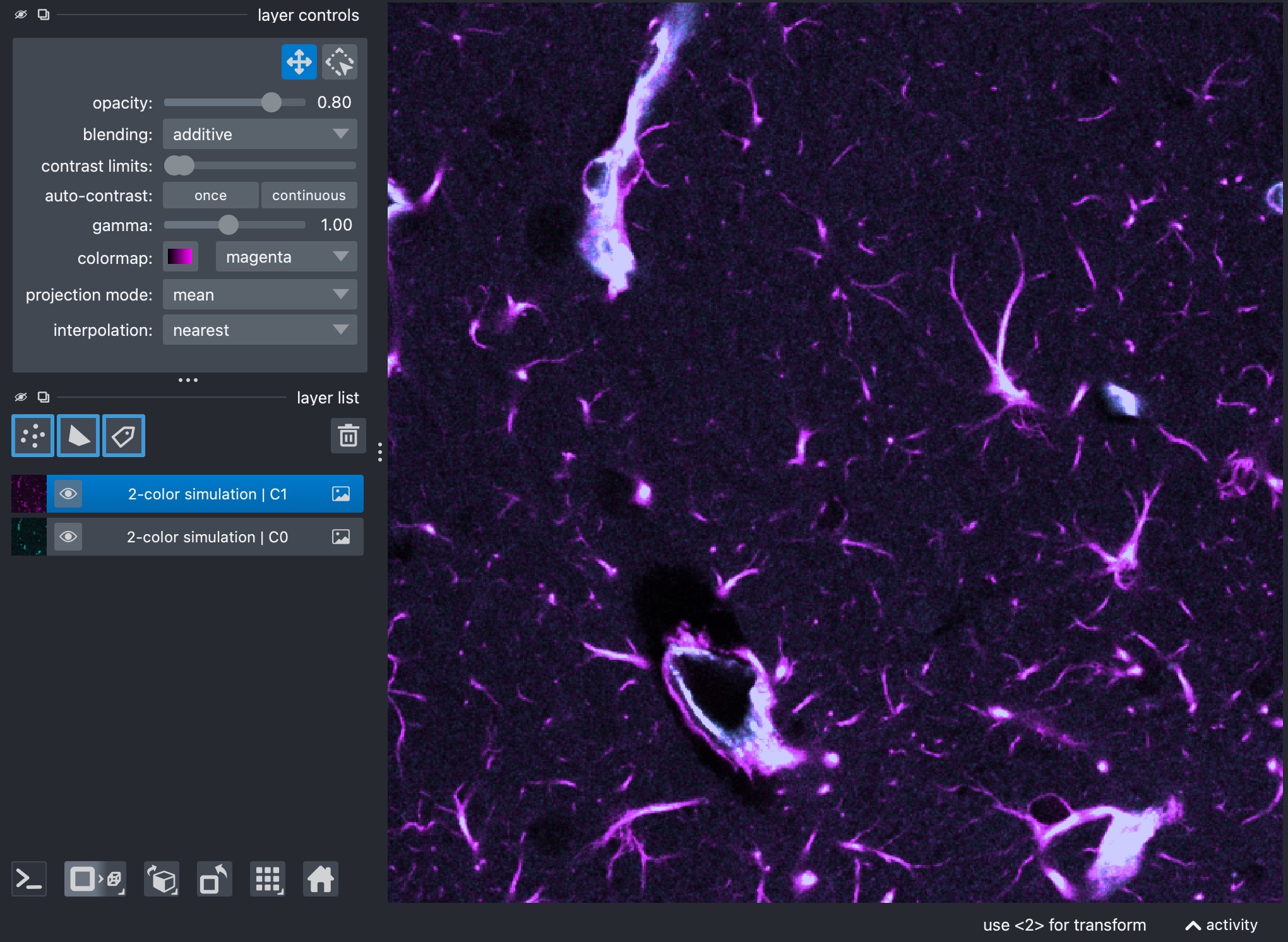
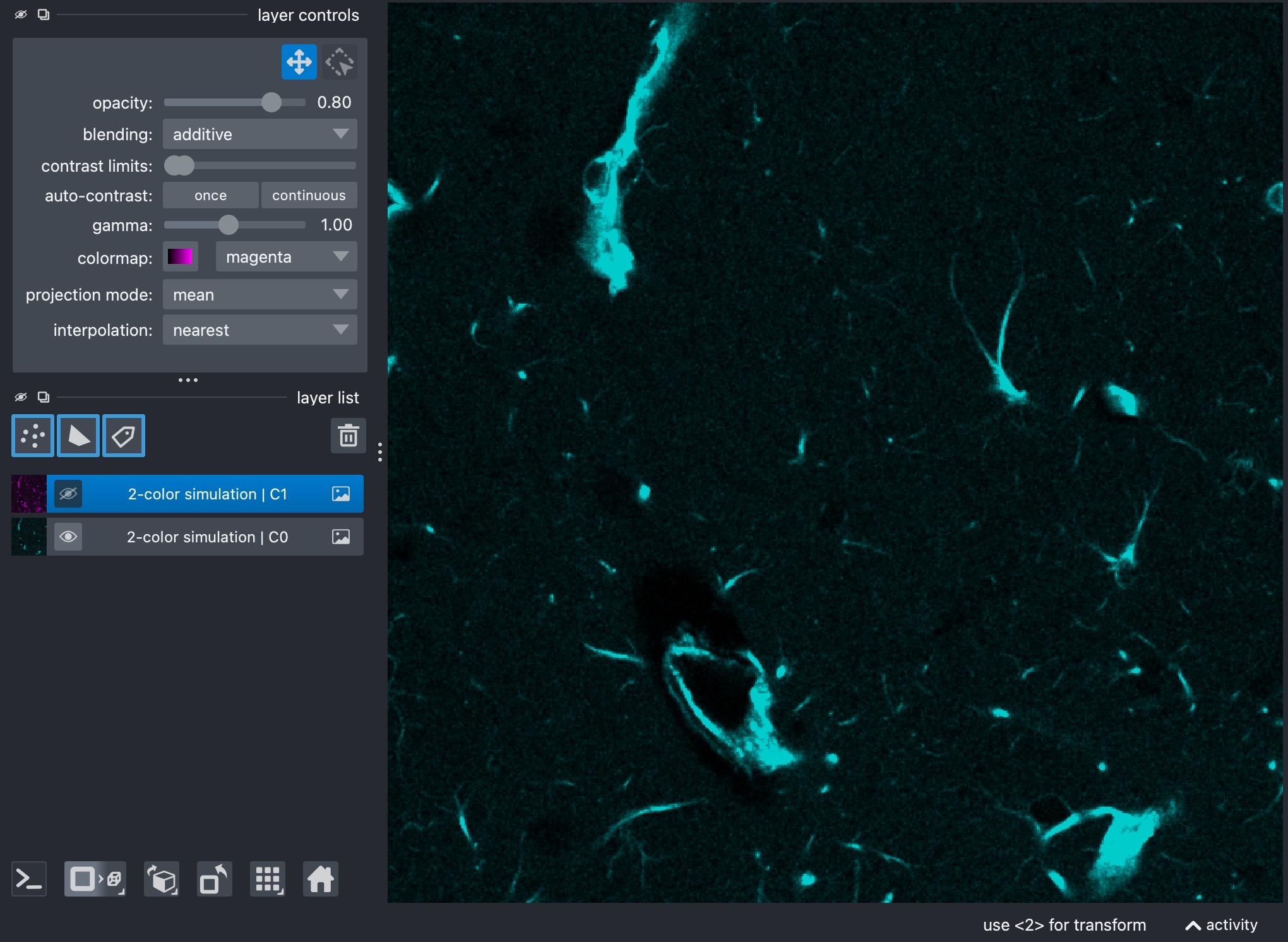
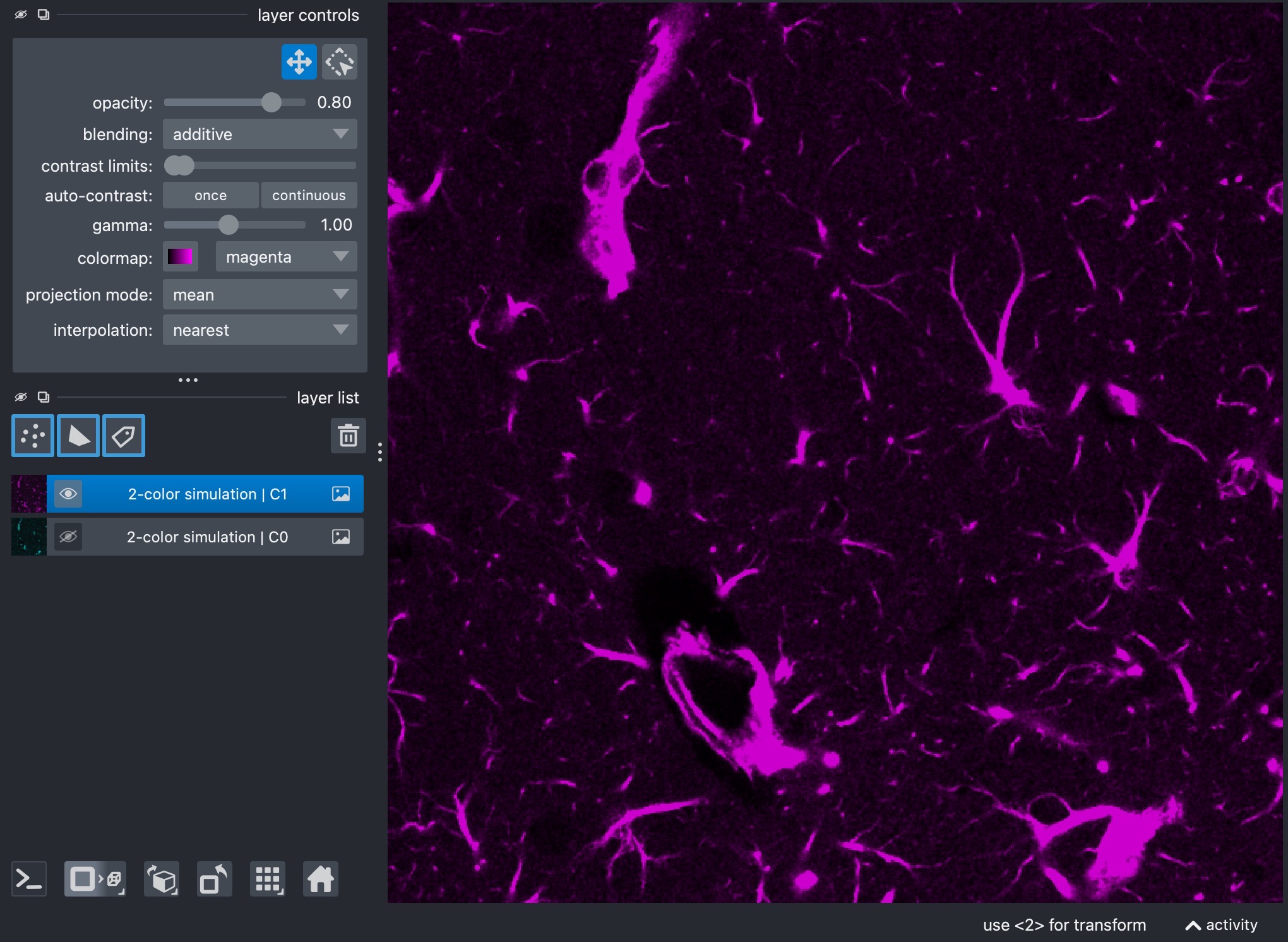
Composite view of the raw two-channel stack (top). Channel 0 is shown in cyan (center) and Channel 1 in yellow (bottom). Visual inspection of the raw measured channels is useful for confirming channel order and for building intuition about which channels appear to contaminate which others. Here, channel 0 is bleeding into channel 1, but not vice versa. The goal of the blind-unmixing workflows is to estimate the cross-talk coefficients and produce a corrected output stack in which the channels are as cleanly separated as possible.
matlab_n blind unmixing
OUTPUT_PICASSO_MATLAB_N = OUTPUT_DIR / f"{INPUT_NAME}_picasso_matlab_n.tif"

picasso_matlab_n_output = unmix_picasso(
    input_path=INPUT_PATH,
    output_path=OUTPUT_PICASSO_MATLAB_N,
    channels=[0, 1],
    # method="picasso",  # default;
    implementation="matlab_n",  # "matlab_3c" or "matlab_n" or "source_sink_n"
    #alpha_mode="reference_t",
    #alpha_reference_t=0,
    background_percentile=1.0,
    # preprocess_alpha_inputs=True,  # recorded for compatibility
    mi_bins=64,
    alpha_max=1.0,
    max_iter=50,
    tolerance=1e-4,
    max_alpha_voxels=250_000,
    step_size=0.2,
    qn=100,
    pixel_bin_size=16,
    alpha_clip=0.1,
    # negativity_threshold=0.0009,
    # clip_every_n_iterations=50,
    random_state=42,
    clip_negative=True,
    output_dtype="float32",
    verbose=True,
)
print(picasso_matlab_n_output)
print(report_path_from_output_path(picasso_matlab_n_output).read_text(encoding="utf-8"))
show_all_channels_in_napari(picasso_matlab_n_output, layer_prefix="PICASSO MATLAB-N unmixed 2-color simulation")
This method applies the explicit N-channel generalization of the MATLAB-style PICASSO iteration.
The most influential settings are:
channels: selects which measured channels participate in blind unmixing. Restricting this list simplifies the problem; expanding it increases coupling between channels.implementation="matlab_n": sets which PICASSO-family workflow is used. Here, we use the MATLAB-N generalization (matlab_n); the other options arematlab_3candsource_sink_n.background_percentile: low-percentile background estimate used during preprocessing before the MATLAB-style update sequence is estimated.preprocess_alpha_inputs: enables or disables that preprocessing step. It is part of the shared API and is recorded in the JSON report.mi_bins: retained in the shared API and JSON report for compatibility, but not used by the MATLAB-like implementation itself.alpha_max: likewise retained in the shared API and JSON report, but not used directly by the MATLAB-like implementation.max_iter: number of iterative update steps. More iterations can unmix more strongly but may also amplify instability.tolerance: convergence threshold for the iterative updates. Smaller values require a smaller change before the iteration is considered stable.max_alpha_voxels: optional voxel cap used during estimation on large stacks. Lower values speed up the run; higher values use more image information.step_size: strength of each incremental update. Larger values make the updates more aggressive; smaller values make them more conservative.qN: quantization parameter used in the MATLAB-style mutual-information calculation. Larger values retain finer intensity detail; smaller values make the estimate coarser.pixel_bin_size: spatial binning factor before mutual-information evaluation. Larger values smooth and compress the data more strongly; smaller values preserve more spatial detail.alpha_clip: hard clipping bound for pairwise coefficients. Larger values allow stronger pairwise subtraction; smaller values stabilize the iteration.optional
negativity_thresholdandclip_every_n_iterations: control how aggressively intermediate negative values are monitored and how often positivity enforcement is applied.random_state: random seed used whenever voxel subsampling is needed.clip_negative: clips final negative values in the saved output stack to zero.output_dtype: controls the data type used when the unmixed output is written.verbose: enables terminal progress output and report printing during the run.
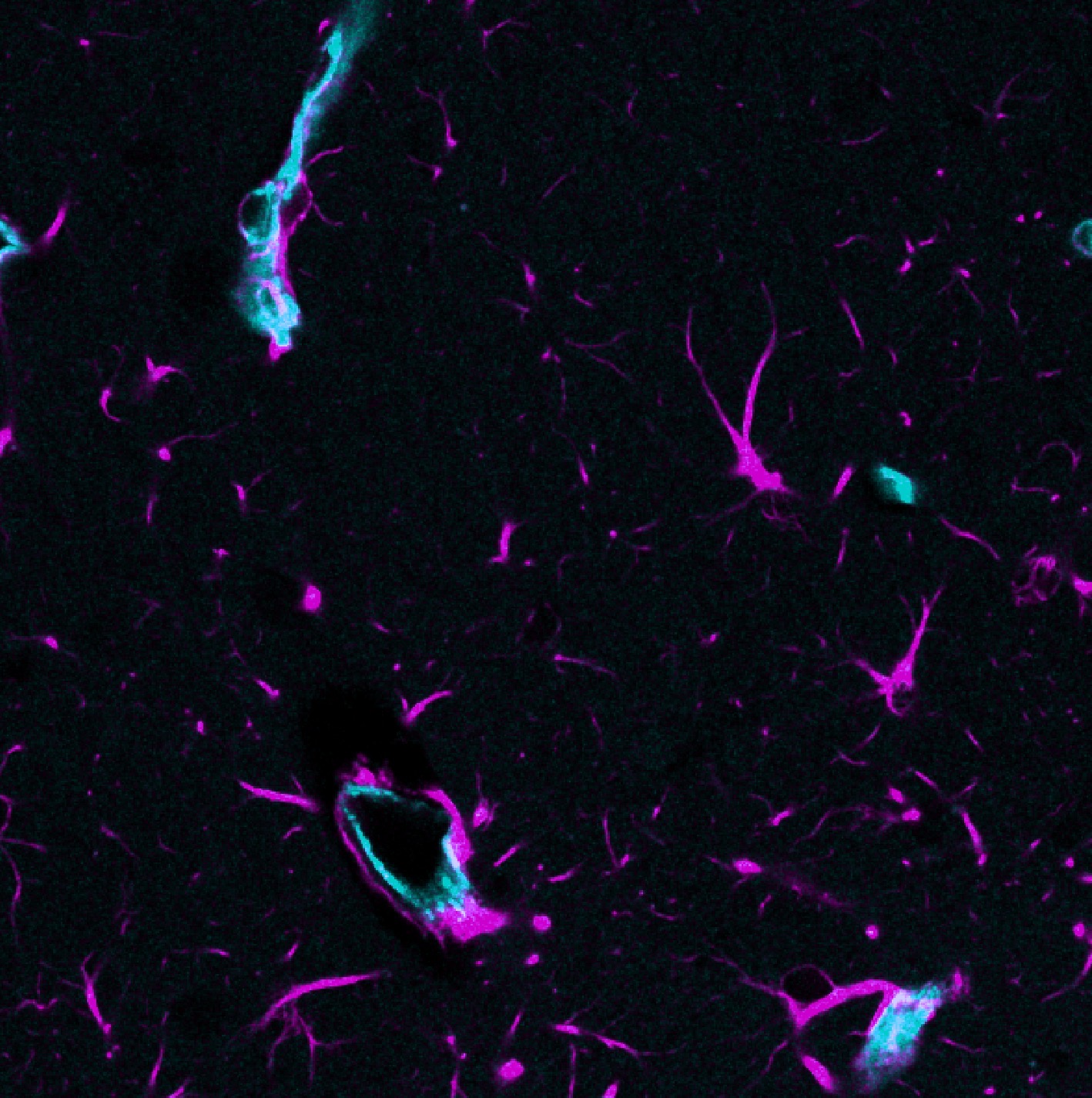
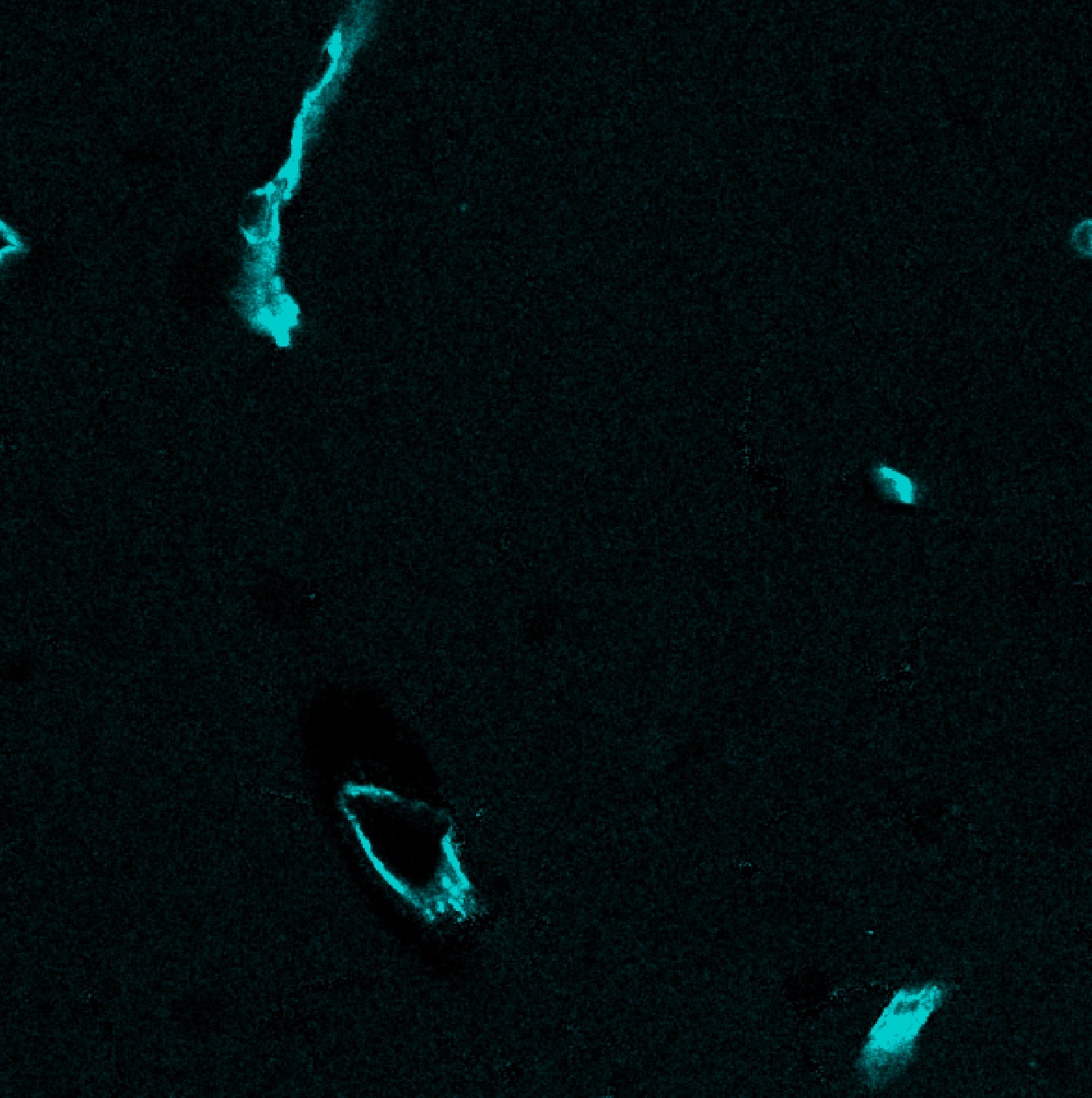
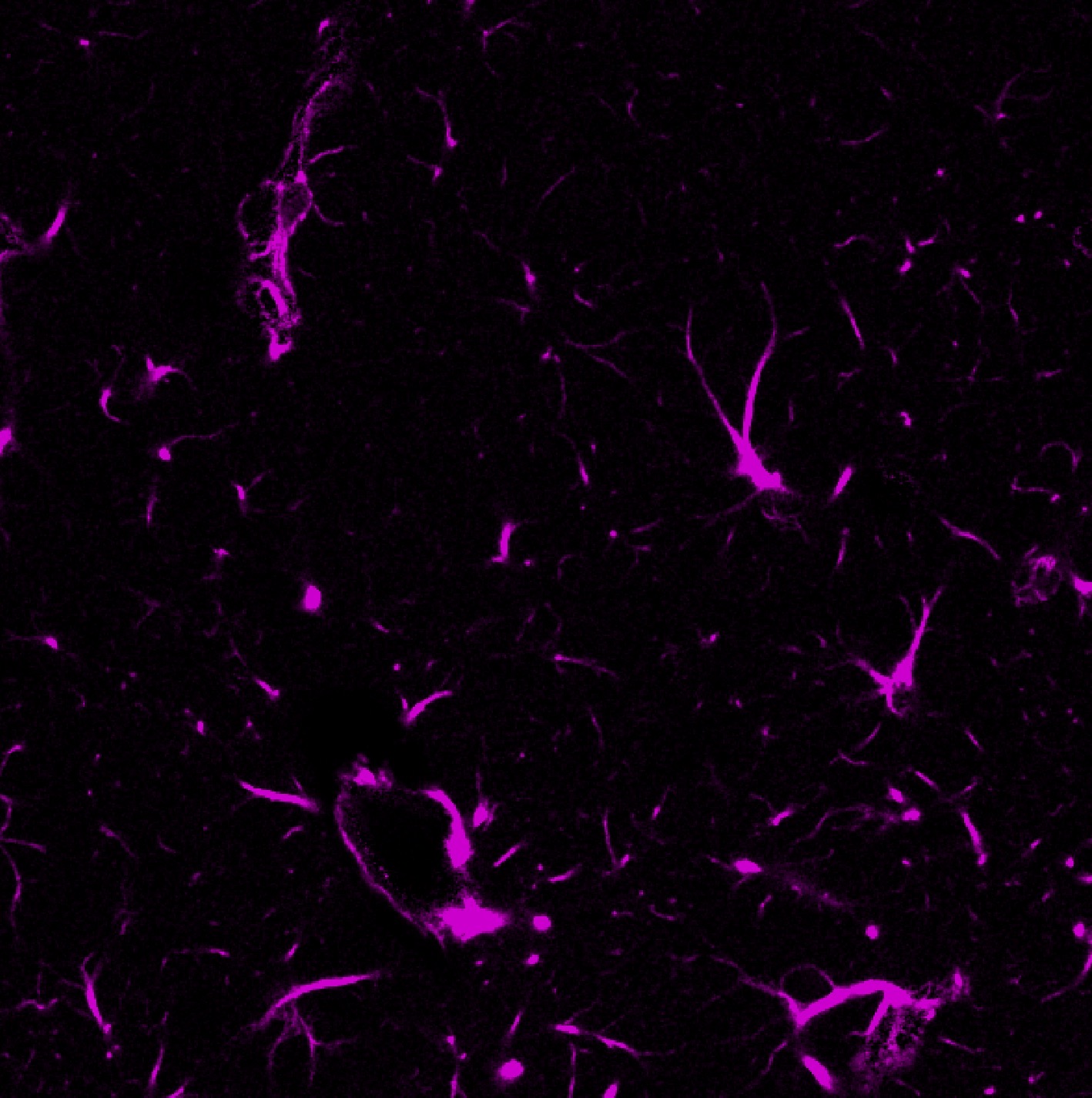
Results of the MATLAB-N blind unmixing workflow. The composite view (top) shows the unmixed channels in cyan (center) and yellow (bottom). The MATLAB-N workflow is a direct generalization of the original PICASSO Matlab-3c logic. It is often a good starting point for blind unmixing and does not require the user to define a source-sink graph explicitly.
The example script shown here uses a stack with only one time point, so
alpha_mode and alpha_reference_t are left commented out in the code. For
real multi-time-point stacks, you would usually
set alpha_mode="reference_t" explicitly when one shared coefficient per
direction should be estimated from a chosen reference time point, or
alpha_mode="per_t" when one forward and one reverse coefficient should be
estimated separately for each time point. In these cases, additional relevant parameters
are:
alpha_mode:reference_torper_tfor multi-time-point stacks. The former estimates one update sequence from the chosen reference time point and then applies it to the full stack; the latter estimates one update sequence per time point.alpha_reference_t: defines the reference time point from which the update sequence is estimated. Only relevant whenalpha_mode="reference_t".
source_sink_n blind unmixing
OUTPUT_PICASSO_SOURCE_SINK = OUTPUT_DIR / f"{INPUT_NAME}_picasso_source_sink.tif"

sink_channels = [1]
neutral_channels = []

picasso_source_sink_output = unmix_picasso(
    input_path=INPUT_PATH,
    output_path=OUTPUT_PICASSO_SOURCE_SINK,
    channels=[0, 1],
    # method="picasso",  # default
    implementation="source_sink_n",
    # alpha_mode="reference_t",
    # alpha_reference_t=0,
    sink_channels=sink_channels,
    neutral_channels=neutral_channels,
    # source_sink_matrix=[[1, 0], [-1, 1]],
    background_percentile=1.0,
    # preprocess_alpha_inputs=True,  # recorded for compatibility
    mi_bins=64,
    alpha_max=1.0,
    max_iter=50,
    tolerance=1e-4,
    max_alpha_voxels=250_000,
    source_sink_optimize_background=True,
    source_sink_max_background=0.2,
    source_sink_n_restarts=6,
    source_sink_joint_optimization=True,
    random_state=42,
    clip_negative=True,
    output_dtype="float32",
    verbose=True,
)
print(picasso_source_sink_output)
print(report_path_from_output_path(picasso_source_sink_output).read_text(encoding="utf-8"))
show_all_channels_in_napari(picasso_source_sink_output, layer_prefix="PICASSO source-sink-N unmixed 2-color simulation")
This variant uses a more explicit source-sink description of the expected cross-talk graph.
In the current implementation, all sources contributing to one sink are optimized jointly by default, and the workflow can additionally estimate a small background offset for each modeled source-sink relation. This brings the method closer to the source-sink formulation used by the napari PICASSO plugin, while still relying on histogram-based mutual information rather than the plugin’s neural MINE estimator.
The most relevant settings are:
channels: as above, selects which measured channels participate in the explicit source-sink run.implementation="source_sink_n": sets which PICASSO-family workflow is used. Here, we use the source-sink-N generalization.sink_channels: defines which channels should be corrected as sinks.neutral_channels: defines which channels should stay untouched and not be used as active participants in the inferred source-sink graph.optional
source_sink_matrix: gives full manual control over the allowed source-to-sink relations.background_percentile: same role as above, but now used in the source-sink coefficient estimation.preprocess_alpha_inputs: same shared preprocessing switch as above.alpha_max: now actively used as the upper bound for source-to-sink coefficients.mi_bins: now actively used as the histogram resolution for the mutual-information objective.max_iter: controls the maximum number of optimizer iterations for each sink.tolerance: stopping tolerance for the numerical optimizer.max_alpha_voxels: same optional voxel cap as above.source_sink_optimize_background: if enabled, estimate one small background offsetbetaper modeled source-sink relation before subtracting the source contribution.source_sink_max_background: upper bound for these optimized background offsets on normalized intensities.source_sink_joint_optimization: if enabled, optimize all sources contributing to the same sink together instead of fitting them greedily one after another.source_sink_n_restarts: number of multi-start optimizer initializations used for each sink.random_state: same random seed used for optional voxel subsampling.clip_negative: same final clipping behavior as above.output_dtype: same output dtype control as above.verbose: same terminal verbosity control as above.alpha_modeandalpha_reference_t: same time-axis controls as above for real multi-time-point stacks.
For two-channel data this is often the easier PICASSO-family mode to reason
about, because one can state very directly which channel should be treated
as the sink and which one is allowed to act as the source. In the specific
example script, channel 1 is treated as the sink and channel 0 as the
source.
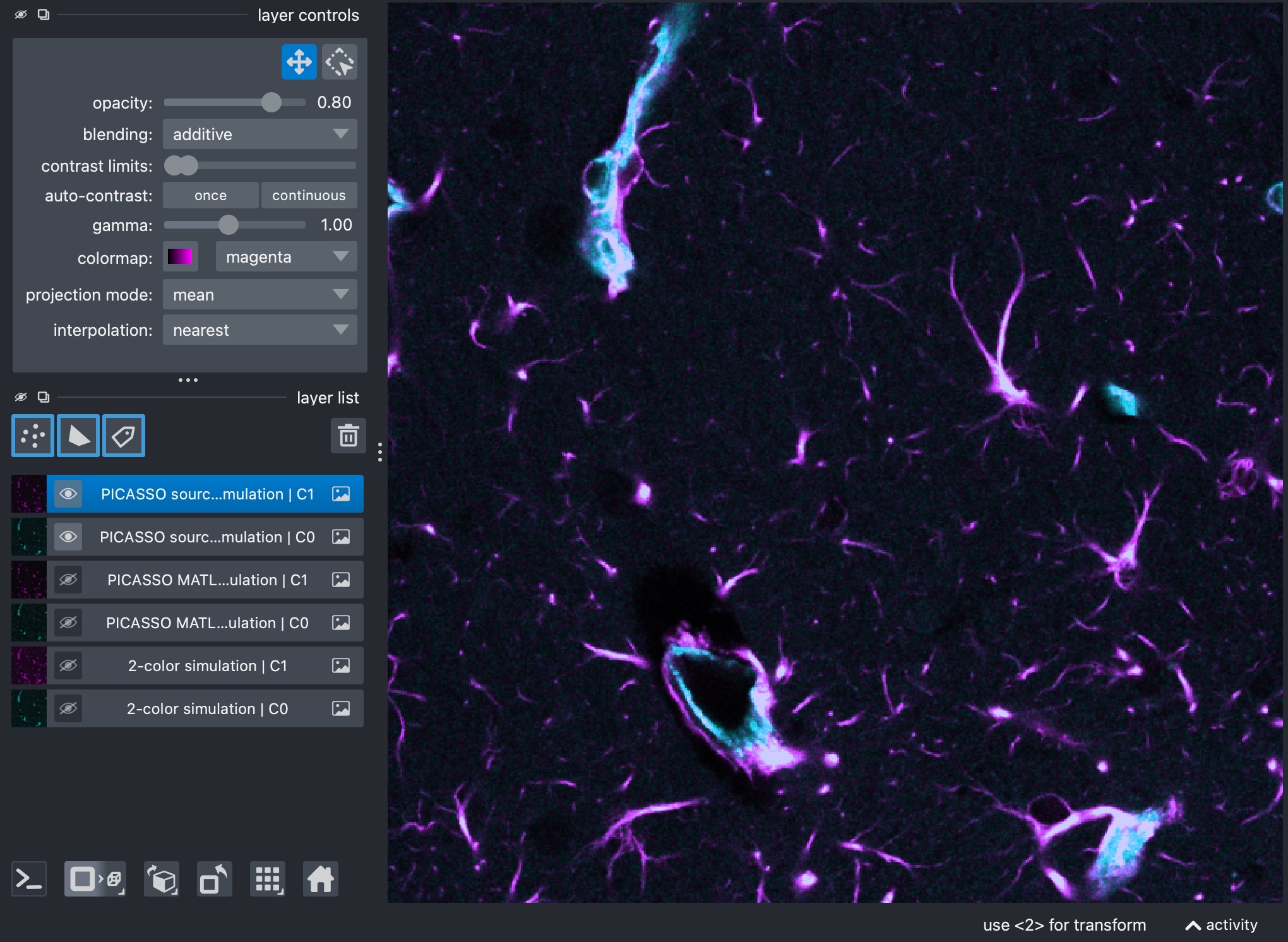
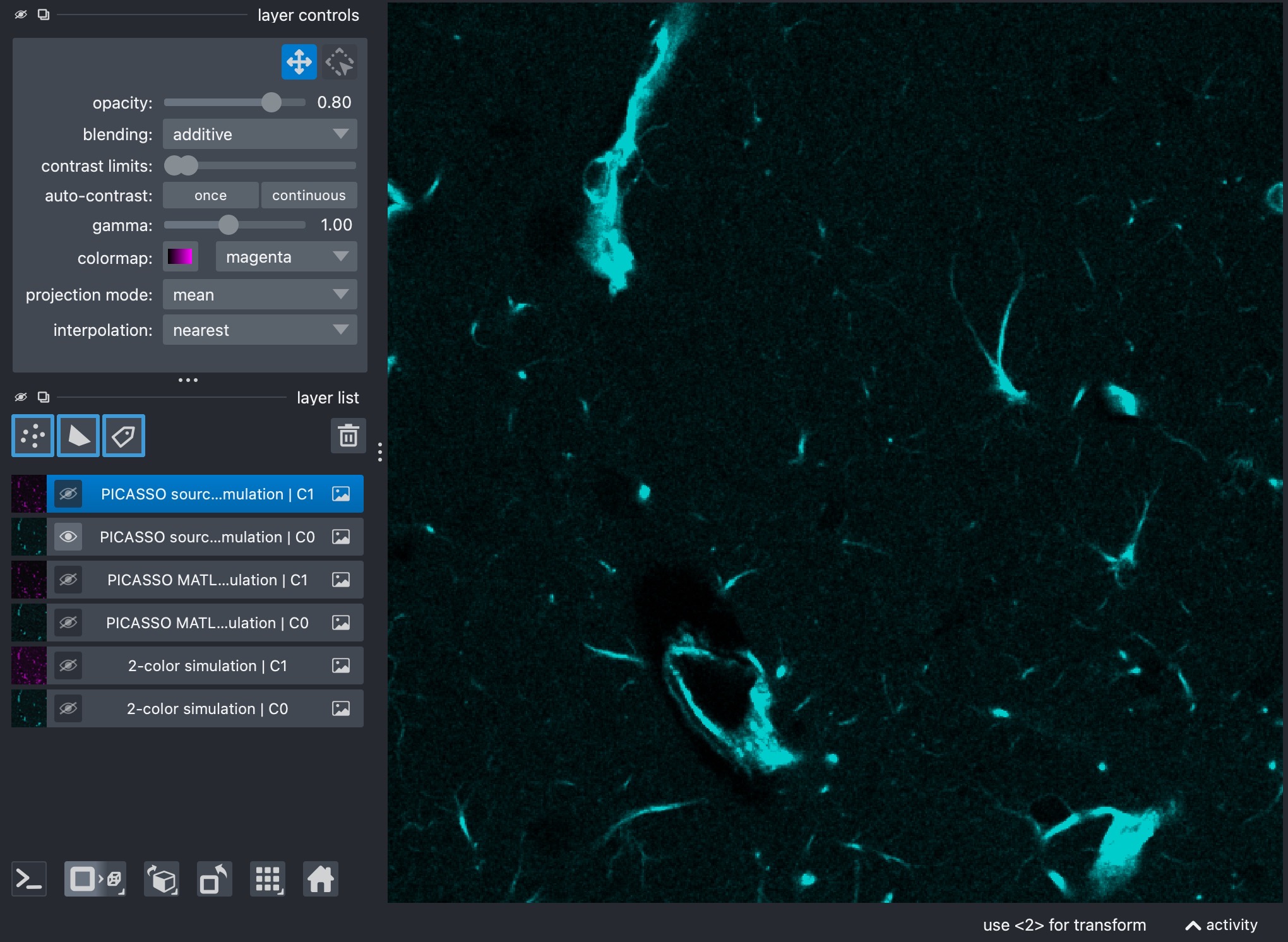
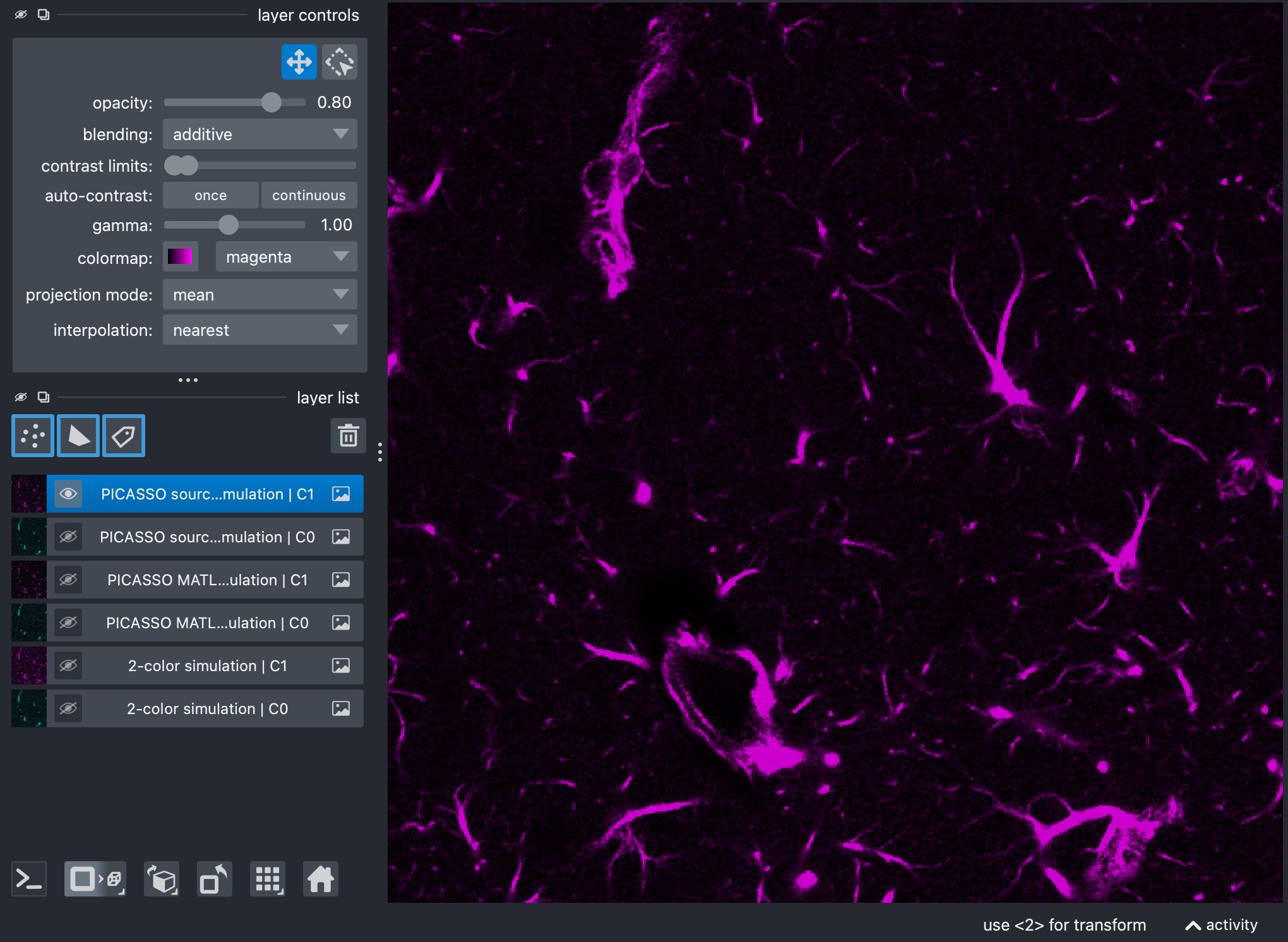
Results of the source-sink-N blind unmixing workflow. The composite view (top) shows the unmixed channels in cyan (center) and yellow (bottom). The source-sink-N workflow is often the easiest PICASSO-family mode to reason about biologically, because the user can explicitly define which channels are allowed to act as sources and which channels are allowed to act as sinks.
Note
If you want to define source_sink_matrix manually, the package uses the
following convention:
rows correspond to source channels
columns correspond to sink channels
the diagonal must always be
1an allowed source-to-sink relation is encoded as
-1all other off-diagonal entries must be
0
For the present 2-channel case with channels=[0, 1], if channel 0 is
allowed to bleed into channel 1 but not vice versa, the manual matrix is:
source_sink_matrix = [
    [1, -1],
    [0,  1],
]
Here, the entry in row 0, column 1 is -1 because channel 0 acts as a
source for sink channel 1.
If both directions should be allowed in a 2-channel case, the matrix would be:
source_sink_matrix = [
    [1, -1],
    [-1, 1],
]
For a 3-channel case with channels=[0, 1, 2], suppose channel 1 should
be cleaned and channels 0 and 2 are both allowed to contribute to it. Then
the matrix becomes:
source_sink_matrix = [
    [1, -1, 0],
    [0,  1, 0],
    [0, -1, 1],
]
More generally, for N selected channels, you always start from the
identity matrix of size N x N and then place -1 exactly at those
positions (i, j) for which source channel i should be allowed to
contribute to sink channel j. If you do not want to build that matrix by
hand, the higher-level sink_channels and neutral_channels interface
is usually the more convenient option.